Download the popular MT4 platform on your iOS device for seamless access to your account anytime, anywhere.

Trade effortlessly across thousands of markets, set price alerts to capitalise on trading opportunities and monitor your trades while you’re on the go.

All trading involves risk. It is possible to lose all your capital.

Why choose Xlence’s MT4 for iPhone/iPad?

With Xlence’s MT4 trading platform for iOS, you can access your MT4 account on your iPhone using the same username/password you use to access your account on your personal computer or Mac.

Enjoy features like a 100% iPhone native application, full MT4 account functionality, and a trading history journal.

Experience the most popular trading platform on your mobile phone anytime, anywhere.

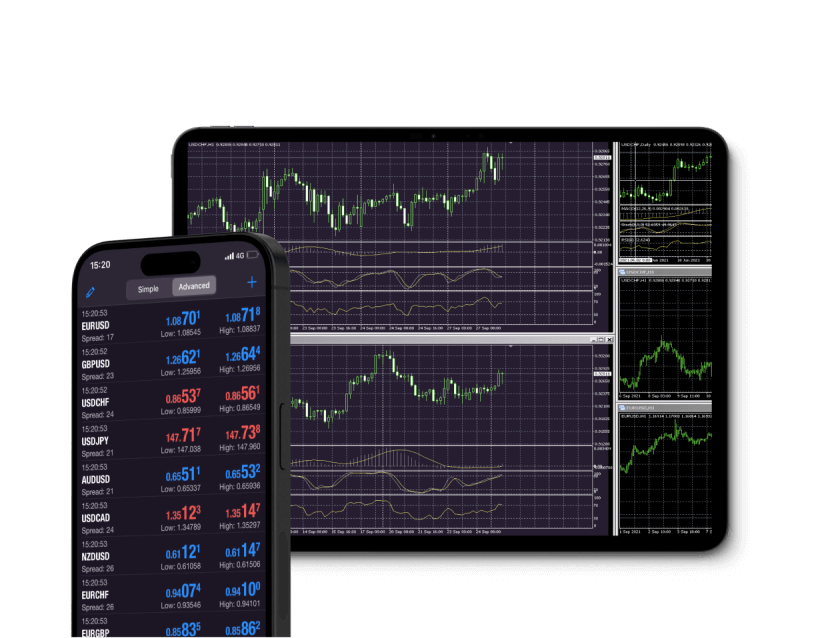
Mobile forex trading on MetaTrader 4 for iOS, showcasing charts and trading options on a smartphone screen.

MetaTrader 4 download for iPhone/iPad iOS

Trade Forex on the go via MT4, the most functional platform for iOS devices.

Place orders with ease, stay up-to-date with market rates and access Forex charts with a real-time news feed and additional features to enrich your trading experience.

MT4 is supported by Windows, Mac OS, iPhone/iPad, Android and any internet browser.
Forex trading app MetaTrader 4 open on an iOS mobile phone, featuring live market updates and trading options.

Features of MT4 for iPhone/iPad

A fluctuating line graph from MetaTrader 4 android, showing variable trends in data over time.

Complete control over a trading account

Three distinct candlesticks in various colors on a white background, symbolizing futures and shares

Manage orders, positions and equity online

Circle featuring a gear and a star, representing MetaTrader 5's customizable interface and cross-platform capabilities.

All order types and execution modes

A white and gold circle crossed by a line, indicating a disabled option in the MetaTrader 4 Android app.

3 types of charts: bars, Japanese candlesticks and broken line

How to log in to MT4 for iOS

Stylized number one with a solid gold shape and a dotted outline, symbolizing ranking, performance, and leading shares

Download and install the MT4 trading platform for iOS.

A stylized number three in white and gold, surrounded by a circle, indicating shares

Select Xlence as your broker.

Stylized number four with a gold overlay and dotted outline, representing analysis and categorization of shares.

Enter your real or demo account login credentials (username and password) provided by Xlence in your welcome email.

The number five featured on a white background, symbolizing MetaTrader 5 for Android platforms.

Start trading.

For more information on the MT4 platform for iOS, visit our FAQ page.
White and gold light bulb icon on a white background, representing the MetaTrader 4 iOS guide.

MT4 iOS user guide

Read the user guide for instructions on downloading, installing and using the MT4 platform for iOS.

The new Apple MTM book features a purple and gold design, serving as a user guide for MetaTrader 4 on iOS.
Thank you for visiting Xlence!

This website is not intended for UK residents, nor is it bound by the MiFID II regulatory framework or by the rules, guidance and protections set out in the UK Financial Conduct Authority Handbook.

If you still wish to access Xlence, please click below.

Thank you for visiting Xlence!

This website is not aimed at individuals residing in the EU and is not subject to European and MiFID II regulations.

If you still want to proceed to Xlence, please click below.

This site is registered on wpml.org as a development site. Switch to a production site key to remove this banner.